
Docs/Manage Your API Key
Manage Your API Key
Safely reveal, copy, store, use, and regenerate the OptionData API key shared by the realtime and HTTP data APIs.
Open product page →View as Markdown
Ask ChatGPT or Claude Code
Copy this prompt, paste it into ChatGPT, Claude, Claude Code, Cursor, or Codex, then add your question. It tells the model to read our public docs first — no API key needed for that step.
You are helping me use OptionData (https://www.optiondata.io/), an OPRA-licensed U.S. equity options data API.

Before answering, fetch these public files (no login required) and treat them as the source of truth:
- https://www.optiondata.io/llms.txt — short product map (same content as https://www.optiondata.io/llm.txt)
- https://www.optiondata.io/llms-full.txt — full API reference
- https://www.optiondata.io/openapi.json — HTTP OpenAPI

Do not invent endpoints, fields, tables, or limits. Prefer `Authorization: Bearer apikey_…` for HTTP APIs. Realtime uses `wss://ws.optiondata.io` with a `token` query parameter.

Products:
- Realtime trades WebSocket: wss://ws.optiondata.io
- Historical SQL: POST https://www.optiondata.io/api/historical/sql
- Option chain: POST https://www.optiondata.io/api/option-chain
- Market structure: GET https://www.optiondata.io/api/v1/market-structure/{symbol}

I am asking about: Manage Your API Key
- Markdown: https://www.optiondata.io/md/manage-api-key/
- HTML docs: https://www.optiondata.io/docs/manage-api-key/

My question:
Your OptionData API key authenticates Realtime WebSocket, Historical SQL, Option Chain, and Market Structure requests.
View and copy the key
- Sign in and open API Key.
- Select the eye control only when you need to inspect the full key.
- Select Copy to copy the current value.
The portal normally issues an apikey_... token. Treat it like a password.
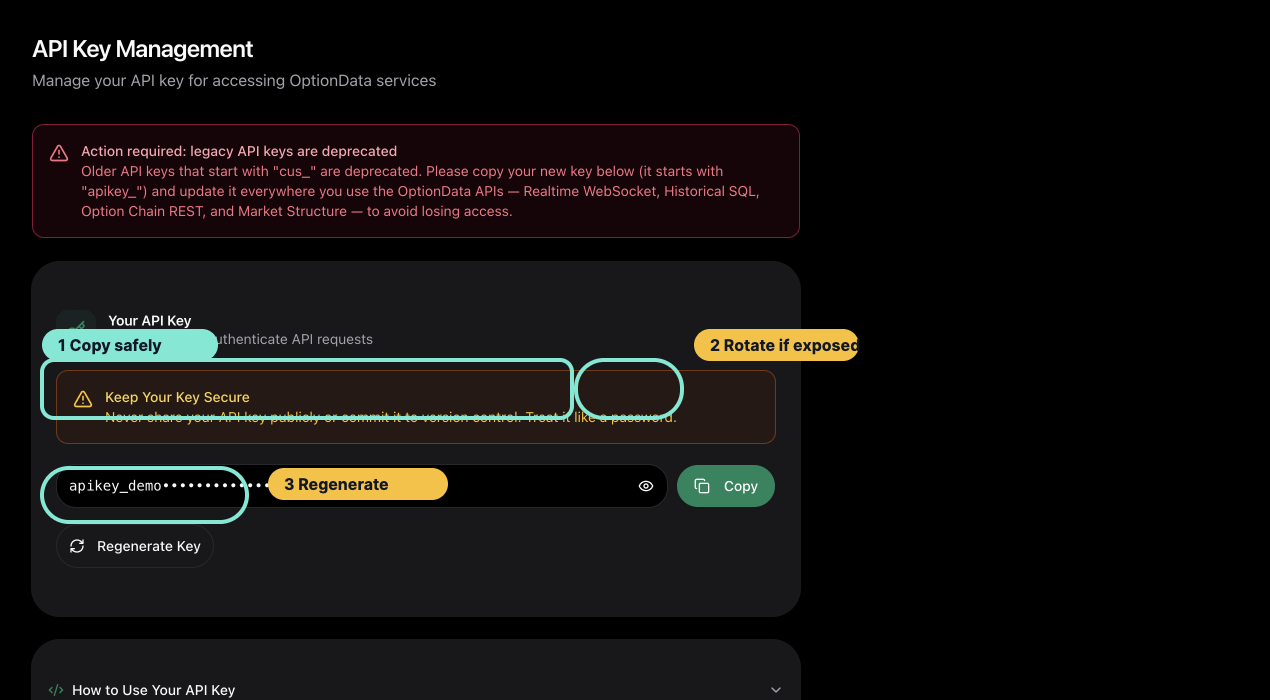
Copy the masked portal key when you need to configure a client; regenerate only when you are ready to update every consumer.
Store it safely
Keep the key in a secret manager or local environment variable:
export OPTIONDATA_API_KEY="YOUR_API_KEY"
Do not place a real key in:
- Git-tracked
.envfiles - screenshots, support tickets, or chat messages
- browser URLs that you log or publish
- frontend bundles or public repositories
For HTTP APIs, send the key with the canonical bearer header:
Authorization: Bearer YOUR_API_KEY
Realtime WebSocket authentication uses the token query parameter. Redact the complete WebSocket URL from application logs because it contains the key.
Regenerate the key
Use Regenerate Key only when the current key may be exposed or you intentionally want to rotate it.
Regeneration invalidates the previous portal key immediately. Update every service, environment, and scheduled job that uses it before considering rotation complete.
A safe rotation sequence is:
- Inventory every consumer of the current key.
- Regenerate the key in API Key.
- Update secret stores and deployment environments.
- Restart or redeploy consumers.
- Verify one HTTP request and one WebSocket handshake.
Verify the key without exposing it
Use a small authenticated request, such as the Market Structure Quickstart. Do not paste the full key into a support message. If support needs to identify it, provide only the account email and the final four characters.
See Troubleshoot Authentication and Access for 401, 403, and 429 responses.